
Table of Contents
As an Amazon Associate, we earn from qualifying purchases. This means we may receive a small commission at no extra cost to you when you buy through links on this page.
What are Touch Control Headphones & Why Choose Them?
Headphones with touch controls represent a significant leap forward in ease of use and convenience. Gone are the days of fumbling for tiny buttons – instead, you can manage your music, calls, and volume with simple swipes and taps directly on the earcup or stem. This offers a sleek and modern aesthetic, removing clutter and providing a more intuitive user experience.
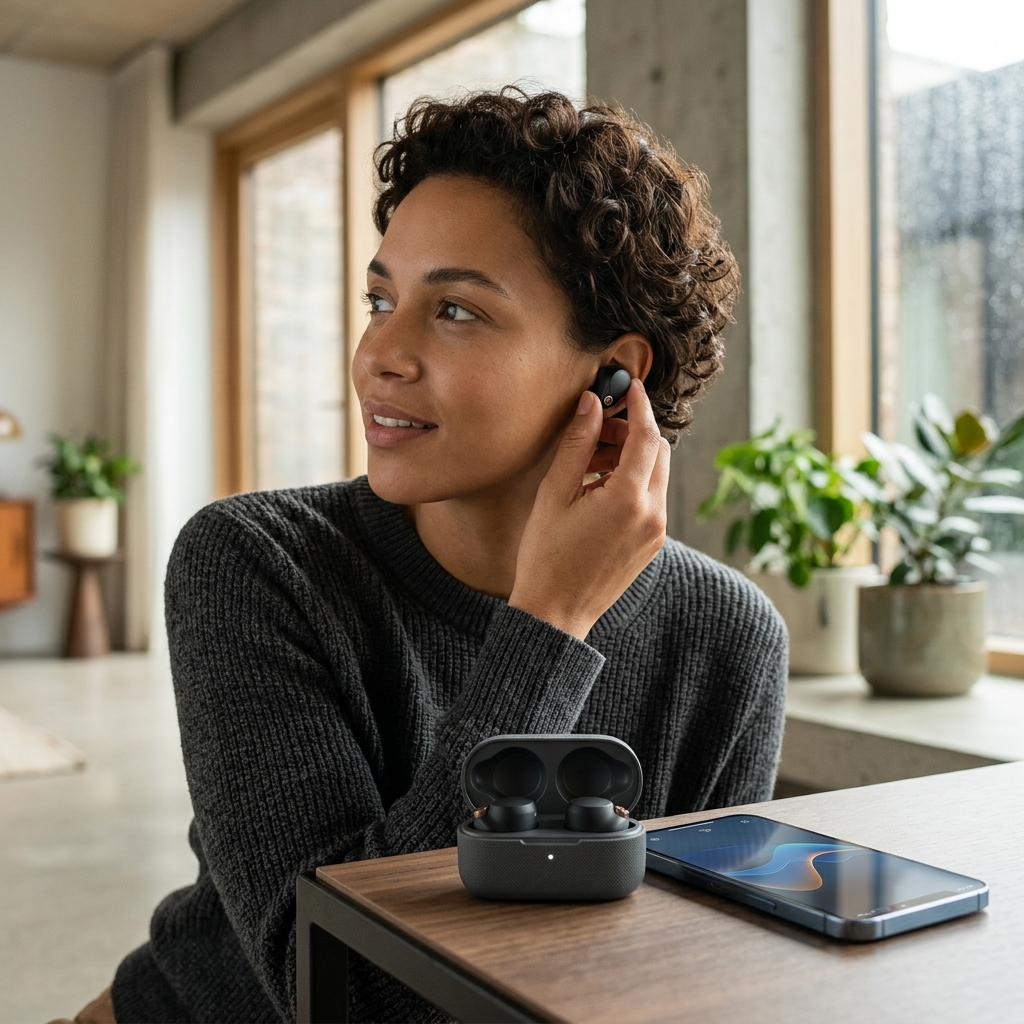
The evolution of headphone controls has been fascinating. Starting with physical buttons, we moved to multi-function buttons, and now, touch controls are the dominant trend. They’re particularly beneficial for:
- Commuters: Quickly adjust volume or answer calls while on the move.
- Gym-goers: Change tracks mid-workout without interrupting your flow.
- Busy Professionals: Seamlessly switch between music and calls during work.
- Anyone valuing simplicity: A more intuitive and streamlined experience.
How Touch Control Technology Works in Headphones
At the heart of touch control headphones lie capacitive touch sensors. These sensors detect changes in electrical capacitance when your finger touches the surface. This is similar to how your smartphone screen works. The sensors are then coupled with sophisticated gesture recognition algorithms. These algorithms interpret the specific patterns of touches – single taps, double taps, swipes, and long presses – translating them into commands.
Different brands implement touch controls in slightly different ways. Some use a larger surface area for more intuitive gestures, while others employ more precise sensors for greater accuracy. Crucially, most modern touch control headphones offer varying degrees of customisation via companion apps. This allows you to tailor the controls to your specific preferences, assigning different actions to different gestures.
Top 5 Over-Ear Headphones with Touch Controls (2026)
1. Sony WH-1000XM6 (Touch Control) – £389.99
The Sony WH-1000XM6 remains a top contender, building on the legacy of its predecessors. The touch controls are incredibly responsive and intuitive, allowing for seamless music control and call management. The noise cancellation is exceptional, and the sound quality is balanced and detailed.
- Pros: Superb noise cancellation, excellent sound quality, comfortable design, highly responsive touch controls.
- Cons: Relatively expensive, some users may prefer a more tactile button experience.
2. Bose QuietComfort Ultra Headphones (Touch Controls) – £429.95
Bose continues to excel with the QuietComfort Ultra Headphones. The touch controls are well-integrated into the earcup design, offering a smooth and natural experience. Bose’s Immersive Audio technology delivers a stunningly spatial soundscape.
- Pros: Immersive audio, outstanding comfort, effective noise cancellation, reliable touch controls.
- Cons: Pricey, design is subtle and may not appeal to everyone.
3. Beats Studio Pro (Touch Controls) – £349.99
The Beats Studio Pro offers a powerful and dynamic sound signature, favoured by bass enthusiasts. The touch controls are responsive and easily accessible. With improved noise cancellation and spatial audio, it’s a solid all-rounder.
- Pros: Powerful bass, comfortable fit, good noise cancellation, responsive touch controls.
- Cons: Sound signature might not suit all listeners, some features are Apple-ecosystem dependent.
| Feature | Sony WH-1000XM6 | Bose QuietComfort Ultra | Beats Studio Pro |
|---|---|---|---|
| Price | £389.99 | £429.95 | £349.99 |
| Noise Cancellation | Excellent | Outstanding | Good |
| Sound Quality | Balanced & Detailed | Immersive & Spatial | Powerful Bass |
| Touch Control Responsiveness | High | High | High |
| Battery Life | Up to 30 hours | Up to 24 hours | Up to 40 hours |
Top 5 Earbuds with Touch Controls (2026)
1. Apple AirPods Pro 3 (Touch Controls) – £249.00
The AirPods Pro 3 continue to refine the true wireless experience. The touch controls on the stems are responsive and intuitive, allowing for easy music control, Siri access, and noise cancellation adjustments. Sound quality has been further improved, and the fit is secure and comfortable for most ears.
- Pros: Seamless integration with Apple devices, excellent noise cancellation, improved sound quality, reliable touch controls.
- Cons: Best suited for Apple users, relatively expensive.
2. Sennheiser Momentum True Wireless 4 (Touch Controls) – £289.99
Sennheiser’s Momentum True Wireless 4 delivers exceptional audio quality, coupled with a refined design and responsive touch controls. The customisable sound profiles allow you to tailor the audio to your preferences.
- Pros: Superb sound quality, comfortable fit, customisable sound profiles, responsive touch controls.
- Cons: Can be expensive, case is slightly bulky.
3. Technics EAH-AZ80 (Touch Controls) – £259.99
The Technics EAH-AZ80 offers a compelling combination of sound quality, noise cancellation, and comfort. The touch controls are accurate and easy to use, even during workouts.
- Pros: Excellent sound quality, effective noise cancellation, comfortable and secure fit, reliable touch controls.
- Cons: May not be as widely recognised as other brands.
| Feature | AirPods Pro 3 | Sennheiser Momentum TW4 | Technics EAH-AZ80 |
|---|---|---|---|
| Price | £249.00 | £289.99 | £259.99 |
| Noise Cancellation | Excellent | Good | Effective |
| Sound Quality | Balanced & Clear | Exceptional | Detailed & Dynamic |
| Touch Control Responsiveness | High | High | High |
| Water Resistance | IPX4 | IP54 | IPX4 |
Key Features to Consider When Buying Touch Control Headphones
- Customisable Controls: Can you assign different actions to different gestures?
- Responsiveness: How quickly and accurately do the touch controls respond?
- Accidental Touch Prevention: Does the headphone prevent accidental touches that might trigger unwanted actions?
- Compatibility with Voice Assistants: Can you activate your voice assistant (Siri, Google Assistant, Alexa) with a touch?
- Integration with Smartphone Apps: Is there a companion app for further customisation and control?
Touch Control Customisation: Getting the Most From Your Headphones
Most touch control headphones come with companion apps that allow you to deeply customise the controls. Experiment with different control schemes to find what works best for you. For example, you might assign volume control to a swipe gesture and track skipping to a double tap.
Troubleshooting: If your touch controls aren’t working as expected, first ensure your headphones have the latest firmware installed. Check the companion app for any settings that might be interfering. Also, ensure your fingers are clean and dry as this can affect sensitivity.
Future of Touch Control in Headphones (2026 & Beyond)
The future of touch control in headphones is looking incredibly exciting. We can expect to see:
- Advanced Gesture Recognition: More complex gestures will be recognised, allowing for more nuanced control.
- Haptic Feedback: Subtle vibrations will confirm your actions, providing a more tactile and satisfying experience.
- AI-Powered Controls: Headphones will learn your usage patterns and automatically adjust the controls to suit your needs.
- Integration with AR/VR: Touch controls will become even more important as headphones integrate with augmented and virtual reality experiences.
Frequently Asked Questions (FAQs)
1. Do touch controls drain the headphone battery faster?
Generally, no. Modern touch control technology is very energy efficient. The battery drain from the touch sensors themselves is minimal. The primary battery drain comes from features like noise cancellation and Bluetooth connectivity.
2. How durable are touch control surfaces?
Most manufacturers use durable materials like glass or coated plastics for the touch control surfaces. However, scratches can occur over time. Using a protective case or being mindful of how you handle your headphones can help maintain their appearance and functionality.
3. Are touch control headphones compatible with all smartphones?
Yes, touch control headphones are generally compatible with all smartphones that support Bluetooth. However, some features, like seamless integration with voice assistants, may be limited to specific ecosystems (e.g., Apple or Android).
4. What if the touch controls become unresponsive?
First, try restarting your headphones. If that doesn’t work, check for firmware updates via the companion app. Clean the touch control surface and ensure your fingers are dry. If the issue persists, contact the manufacturer’s support team.
5. Can I disable the touch controls altogether?
Some headphones allow you to disable the touch controls via the companion app, reverting to a more traditional button-based approach. This can be useful if you find the touch controls too sensitive or prone to accidental activation.